


- Tham gia
- 02/08/2016
- Bài viết
- 29

MAKE SURE TO READ THE WHOLE PAGE BEFORE BUYING. MAKE SURE TO SEE IT LIVE ON THE TEST SERVER.
More than 5k+ placeholders!
Spigots #1 rated plugin
Spigots #1 downloaded premium plugin
Test it live @
@clip's server using his plugin placeholders
testplugins.com
FRESHDESK FOR SUPPORT. I DO NOT READ THE DISCUSSIONS, PM'S , SKYPE MESSAGES AND DEFINITELY NOT PROFILE MESSAGES WITH BUGS OR QUESTIONS.
Video by @Koz
How to video [Hub scoreboard]

- 5000+ efficient placeholders [No reflecting, cached when needed if the plugin didn't do this, very fast parsing]
- A lot of preset animations that you can use
- Original no flicker plugin with stable core
- No lagg [Can even run on a Raspberry Pi]
- Efficient placeholder parsing: Only placeholders used in the config are used
- Efficient animation and placeholder caching: Placeholders are cached when the plugin doesn't do this (usually smaller plugins where the API directly connects to a database). Animations are cached several frames before sending so it doesn't 'stutter' the scoreboard without actually taking up heaps of memory.
- Efficient sending
- No flicker (Some plugins claim to also have this, but usually just change the scoreboard lines or use a "buffer"). This plugin combines no flicker with no lagg
- Change/Animated the scoreboard numbers on the side. Event use placeholders to update their values
- Backwards compatible to 1.6.4 (Even if you own a normal spigot server, you may want to go back to 1.7 in the future because you want to install some modpack? No need to ditch the scoreboard or download a very old version... just use the latest FeatherBoard)
- Many updates
- Event triggered scoreboard to show relevant scoreboards based on what the player is doing
- Assign scoreboards based on groups, permissions, worlds
- Internal Developer API and external Developer API (MVdWPlaceholderAPI) to add your own placeholders
- In depth placeholder configuration to define what they return
- Players can toggle boards on an off
- Toggled scoreboard can be stored in a database to save their choice after server restarts.
- Players can switch between boards
- Console or an OP can switch scoreboards of other players

Ever since there were scoreboards in the game developers have been using them to ... display things that have nothing to do with scores. This plugin looks like your everyday scoreboard plugin that displays some information but this is more then that. This plugin allows you to create advanced animations with more then 5000+ placeholders from a lot of different plugins (and more comming every update). You can also send a different scoreboard to different players using a permission (so it can also be world specific).
But what makes this so special? Well, it does all these animations with practically zero lagg. What you would call "lagg" is converted to things that are less annoying things like the refresh speed of the animation (few milliseconds delay).

The above image is a 1.8 server with FeatherBoard 3
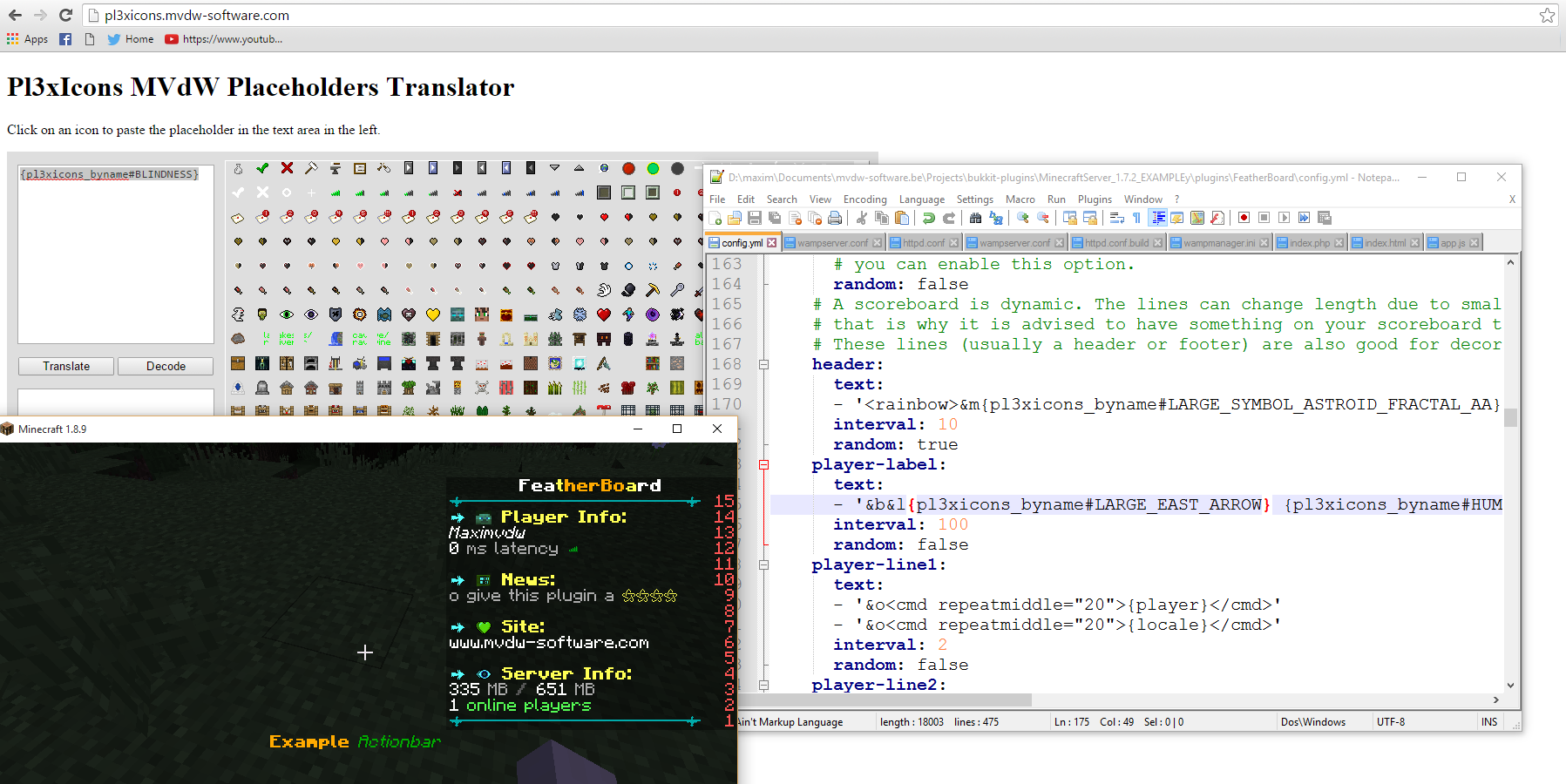
The above image uses Pl3xIcons in a scoreboard


The above image is a 1.8 server with FeatherBoard 1.0.0

LeaderHeads plugin top scoreboards

Twitter placeholders
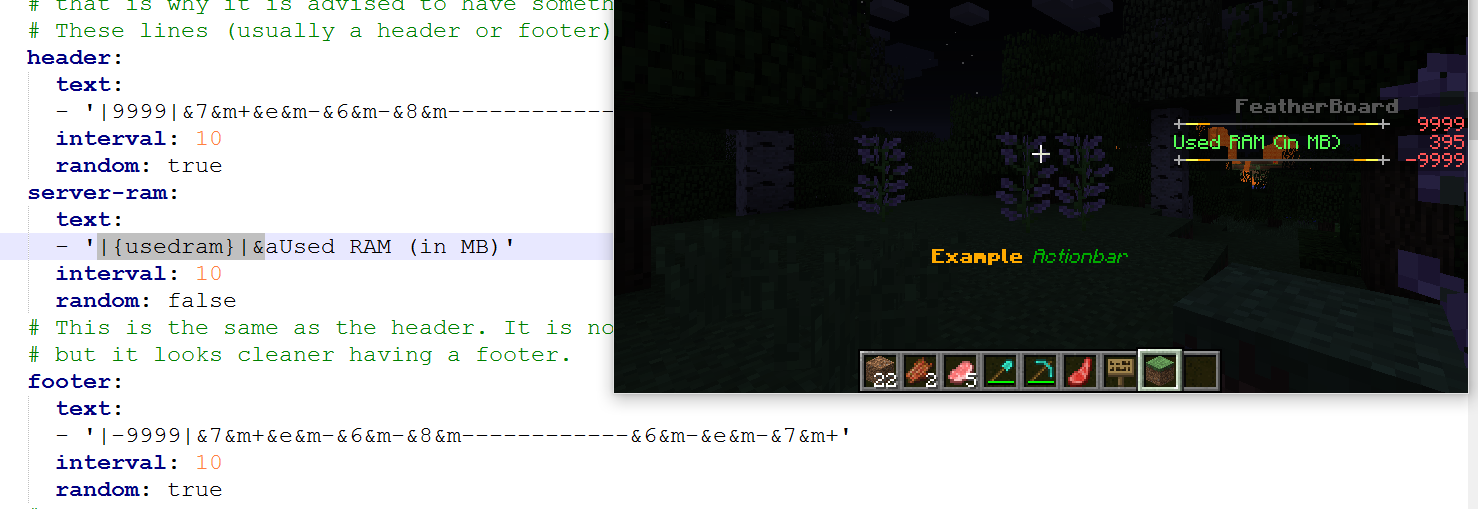
Changing the number on the side
The plugin has some preset effects and formatting tags that make it easy to create cool animations. You can create scroll effects, repeat a message multiple times, rainbow effect, split a placeholder in a few parts and a lot more ,...
Scoreboard width
1.7/1.6 server with antiflicker disabled: 16
1.7/1.6 server with antiflicker enabled: 26~28 (depends on colors)
1.8/1.9/1.10 server with antiflicker enabled: 26~28 (depends on colors)
1.8/1.9/1.10 server with antiflicker disabled: 32
1.8/1.9/1.10 server with a static non animating line: ~51 (depends on colors)
Title can be 32 chars for both 1.7 ,1.6 ,1.8, 1.9 and 1.10
Scoreboard height
1 title
max of 15 lines
Anti Flicker
Default this feature will be enabled in the configuration. It is something I've been working a few months. It is a way to refresh the scoreboard lines at very fast speeds without causing any lagg and not showing any flicker. In theory this should work 100% but it is a technology that is not tested on servers with 20+ players (however it should work).
Video #1: Video is shows the flicker on poplular servers VS FeatherBoard

Image of 3 scroll animations with a 1 tick refresh rate + ram updating every 1 tick + title updating every 3 ticks with Anti Flicker enabled
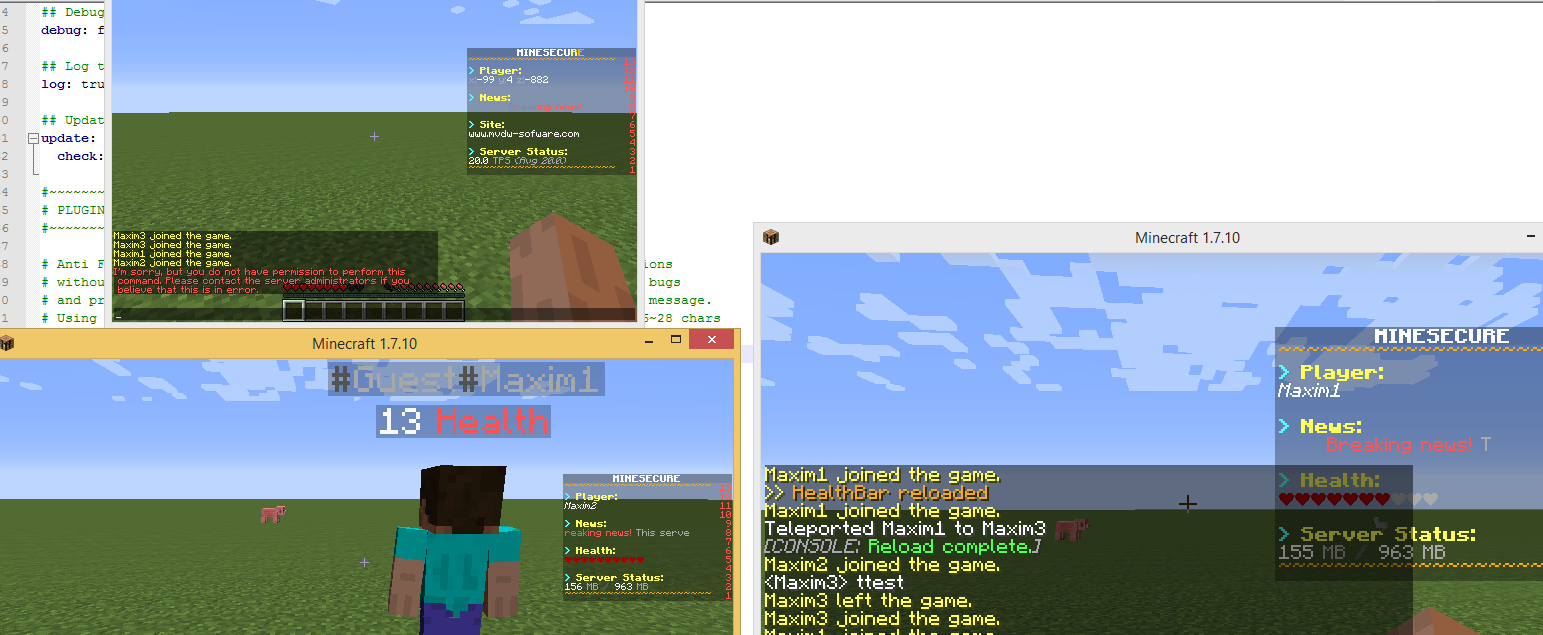
The plugin does not support plugins like HealthBar,ColoredTags (or plugins with prefix/suffix tags) because they are 'selfish' in terms of handling the scoreboard. This can not be fixed without editing those plugins. However AnimatedNames is fully supported.
Requirements:
- Bukkit/Spigot/Cauldron 1.6.4 or higher
- Around 20MB RAM in idle + (55Kb / player) depending on the animation size
- When using BungeeCord a good and fast connection between the proxy and normal Spigot servers is required (depending on the animation speed and amount of players). Slow connections will cause MVdWFB kick errors.
- Placeholders are embedded, so the file could be 5MB in the future, keep in mind. The unneeded placeholders are not loaded into the ram, disk space is not equal to ram
- Ability to access the internet/sites for possible placeholders such as Facebook and Twitter or others. It is also required in order to run the plugin and fetch required data.
- Depending on refresh rates you may need a 1Gbps connection when having more then 500 players
- Java 8 is highly recommended. Java 7 support might/will be dropped in 2016
Limitations
As said before the scoreboard was something used to display the score of a specific player not to have it updated with insane speeds. The plugin does a great job to only update one line that needs to be changed to limit flicker but depending on the CPU speed and latency this can cause some problems.
- It is advised to keep animation speeds around 10 ticks when antiflicker is disabled (for most CPU speeds) faster speeds can cause slight flicker. When antiflicker is enabled you can put this as fast as you want if your server can handle it (it will never cause lagg, if your CPU can't handle it you will see this on the refresh speed of the animation)
- The way it is made scoreboards can not be toggled between each other or set to a specific group as it would cause lagg
- It seems that animations located in the middle of the scoreboard are most likely to be causing flicker when antiflicker is disabled (I think this is more something you see then an actual problem)
- 1.7 servers/clients can only accept 16 character length scoreboards (the title can be bigger) while 1.8/1.9/1.10 clients can accept 32 characters. When you have antiflicker enabled this is around 26~28 for 1.8/1.9/1.10
- The numbers on the side can not be removed - they can however be changed to static numbers or numeric placeholders
- You have to disable all sidebar scoreboards. Plugins like mcMMO or minigames that show a scoreboard will cause issues. In mcMMO and other plugins there is mostly a function to just set this off and print this in the chat instead.
- Some team plugins may also cause issues
- Known incompatible plugins here NOTE: These are not all incompatible plugins
- The plugin gives every player a unique scoreboard. Meaning commands or plugins that edit the main scoreboard (like /scoreboard) won't work. This is for any plugin that handles scoreboards (nametags or teams are also scoreboards)
- The character length also includes colors (2 chars per color/effect)
- This plugin sends a lot of packets. Make sure your server has a good network connection.
- Some permission plugins do not allow world specific permissions
- Do not use HealthBar
- Using GGServers is not recommended since they have packet loss. There is a high chance the plugin will not work on this host due to their bad gateways
- You can not dynamically add or remove lines (height)
- There is no build in functionality to switch between boards (by time, like announcements) other than trigger events and there never will be.
- Apart from the show and hide commands and the event triggers I have no intention to make you 'switch' scoreboards automatically as it would cause lagg and be hard to configure.
Placeholders, private and group animations
Animation cycle starts when a player joins the game (or the plugin is reloaded). Placeholders are unique on every scoreboard. If this is not the case you are most likely using a plugin like HealthBar,.. that is incompatible
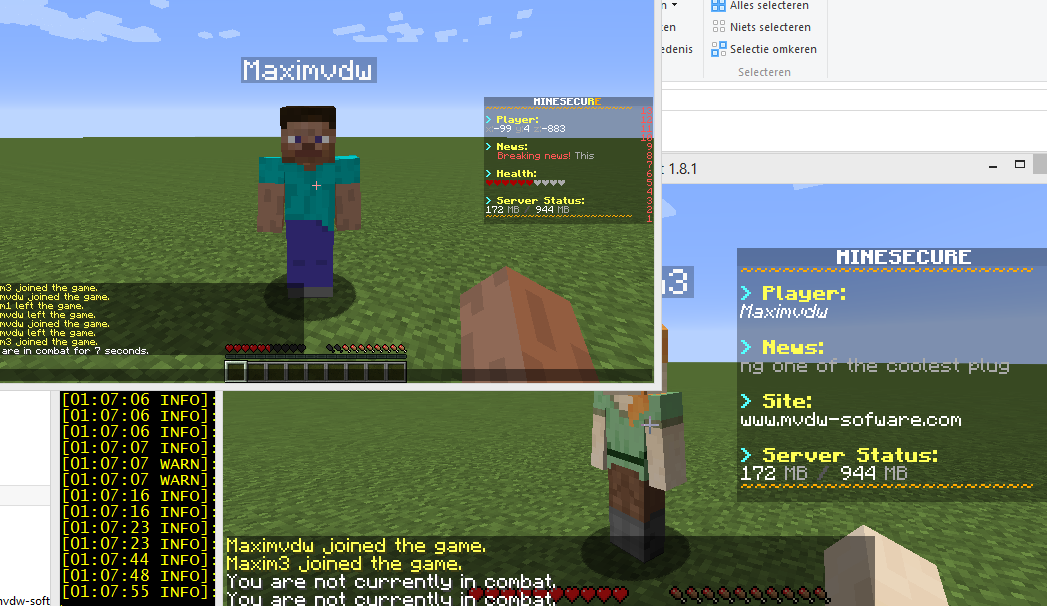
Players did not join at the same time so their animation is not in sync.
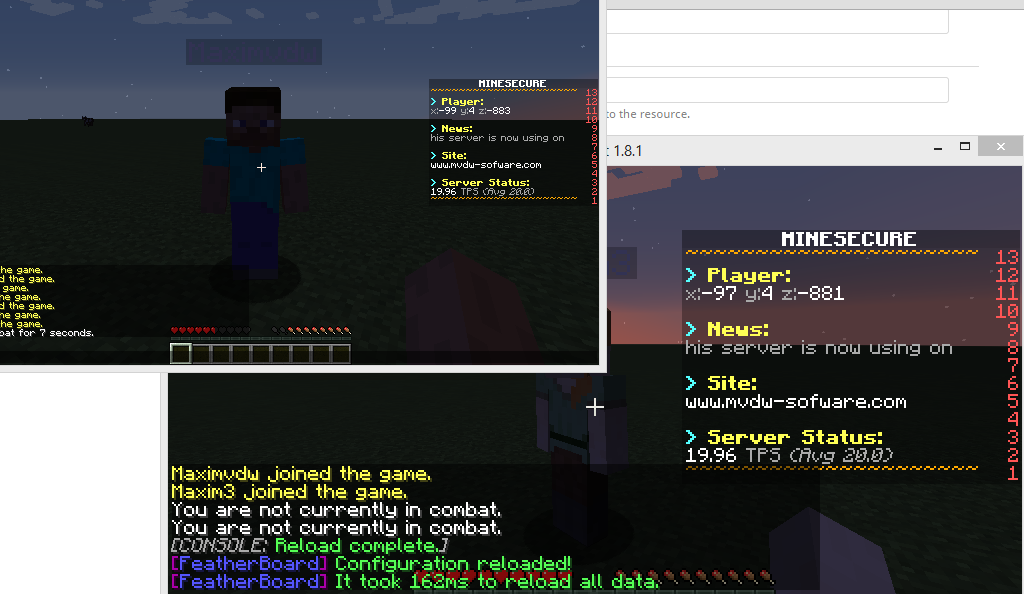
The plugin reloaded so both animations are in sync.
This allows you to create animations that have to be viewed in order.
The plugin also offers you to send different scoreboards to different players using the permission "featherboard.group.<groupname>". In the example below I have two groups (default,default2) If first gave the user Maxim3 a negative permission for the default group, then I granted him permission to default2
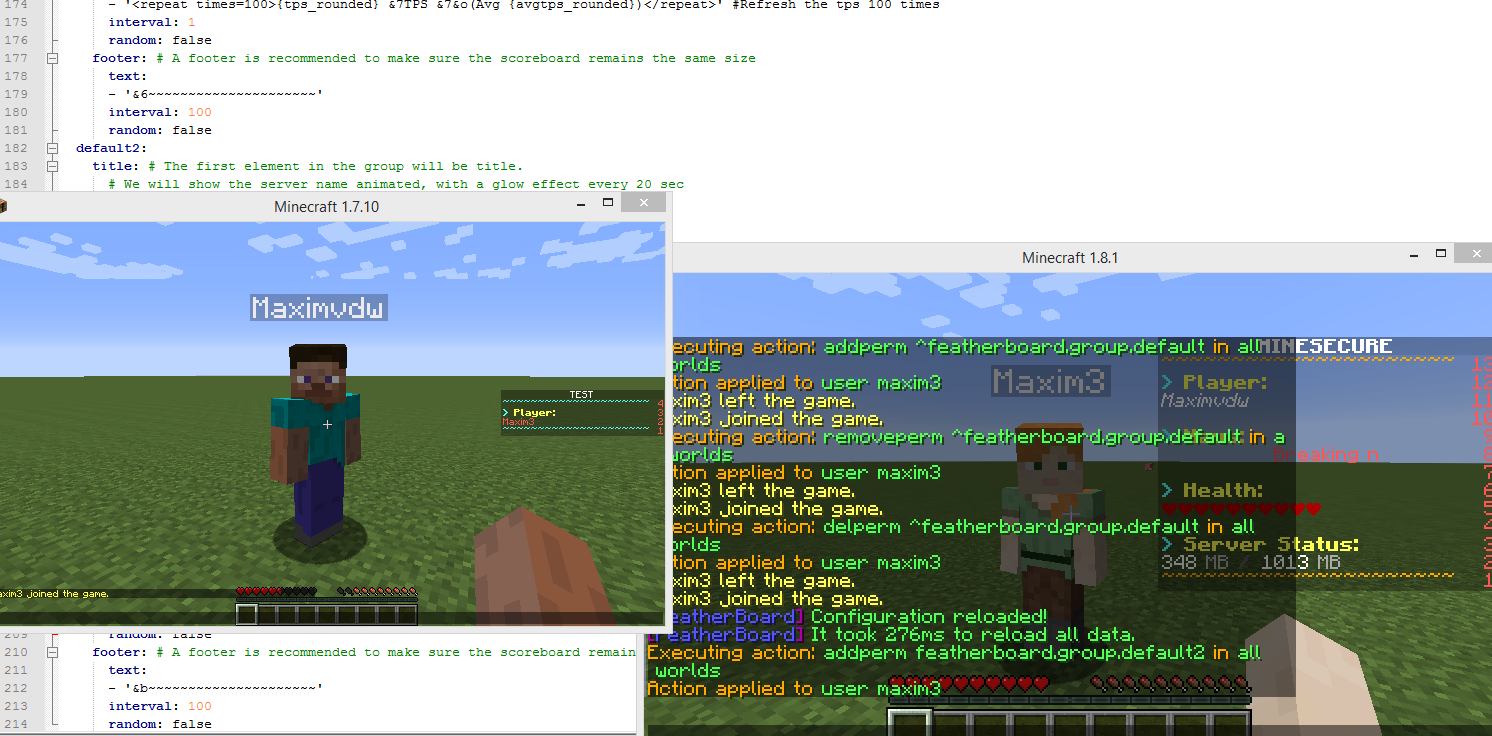
Timings above set up: http://timings.aikar.co/?url=9632589
About the project
The project idea started in June 2014 when I released InteractiveChat. InteractiveChat was a plugin that was very efficient and I wanted it to make it as fast as possible since my own server cpu was not... great. All other scoreboard plugins I used were laggy or causing flicker so I decided to work on a scoreboard plugin (September 2014).
The thing about developing is that most devs stop developing something because they don't have the time and resources (and motivation) to continue creating something that might just turn out to be impossible. So to overcome this issue I used the technology I needed to create this plugin in smaller plugins. When Tab and ActionBar were released in October 2014 I started working on more and more placeholders that could be used eventually in this plugin. TitleMotdAdvanced was a step forward for the 'preset effects' like scrolling ,etc.. that I needed for this plugin (since a lot of users wanted scrolling text). Meanwhile I started to send small alpha releases to my payed testers to find bugs, ... most were happy with the results it was not laggy at all but in my opinion too much flicker...
So I released AnimatedNames , a plugin that utilized scoreboards and also required it to refresh at very fast speeds without causing player kicks ,... this was one of the best ways to get response on crashes and performance bugs and was later utilized in FeatherBoard to make the flicker a lot less.
Still, I wasn't happy so I decided to keep working on a way to refresh the scoreboard without any flicker and after a lot of beer I actually managed it. The antiflicker config option is still something experimental but it is something never before seen.
About Me
Well, my name is Maxim Van de Wynckel but most people know me as Maximvdw. I live in Belgium (the Flemish part) so my timezone is GMT+1 (KEEP THIS IN MIND). I started creating a few plugins on Bukkit >4 years ago after hMod got discontinued. I've been programming for around 12 years (since I was 8y/o) where 7 of them are in Java , C# ,.. . After some public plugins on DevBukkit I started to create free private plugins for people that asked for it. I created a lot of plugins back then but due to the lack of respect on dev bukkit (death threads, no 'ty' for plugins I made, etc...) I left bukkit and started to spend more of my time into making custom quality plugins on my site. I became an owner of a server I loved that was left abandoned but it lacked high performance resources so I became extremely worried about performance. At first I tried to limit my ideas to limit the use of resources but that wasn't the way to go since No fancy things means No fancy players. I started to spend 90% of my time on a plugin on testing performance (and 10% on coding and testing the features).
What makes this plugin worth the price? [15$]
- I am a developer who maintains my plugins.
- The way it is made ActionBar, Tab, TitleMotdAdvanced,AnimatedNames and FeatherBoard have similar components (placeholders and animations) If I update it on one of them I can provide easy updates for all of them. This allows me to easy add placeholders or new animation presets.
- You will have to try hard to find this plugin in your timings (unless you use CTRL +F or only have 1 plugin)
- The anti flicker option in combination with the performance is something I feel proud of, it is something unique.
- You can send group/world/permission specific scoreboards.

THE MOST IMPORTANT THING OF THE PERMISSIONS YOU HAVE TO KNOW IS THAT DEFAULT THE GROUP 'default' IN THE CONFIGURATION IS GRANTED TO ALL USERS. TO PREVENT THIS USE NEGATIVE PERMISSIONS (OR RENAME THE GROUP). WITH THIS YOU CAN CREATE WORLD SPECIFIC BOARD (OR EVEN REGION SPECIFIC)
Code (Text):
featherboard.reload:
description: Reload the configuration
default: op
featherboard.help:
description: Show plugin help
default: true
featherboard.uploadlog:
description: Upload log
default: op
featherboard.uploadconfig:
description: Upload config
default: op
featherboard.about:
description: About the plugin
default: true
featherboard.permissions:
description: List all permissions
default: true
featherboard.resetconfig:
description: Reset the configuration file
default: false
featherboard.toggle:
description: Toggle the scoreboard
default: true
featherboard.toggle.other:
description: Toggle the scoreboard of someone else
default: false
featherboard.placeholders:
description: Available placeholders
default: op
featherboard.parse:
description: Parse effects or placeholders to chat
default: op
featherboard.group.default:
description: Default group
default: true
featherboard.show:
description: Show a different scoreboard
default: op
featherboard.show.other:
description: Show a different scoreboard for another player
default: op
featherboard.gui:
description: Show a GUI

/featherboard
Main command: alias for /featherboard help
/featherboard about
Show the version information. ALWAYS give this version when reporting errors.
/featherboard uploadconfig
For the lazy ones this will upload the config (config.yml) to pastebin.
ALWAYS give this config when reporting errors.
/featherboard uploadlog
This is a SIMPLE log about the plugin it will upload that simple log to pastebin. It is recommended to still send the logs from the console rather then this log!
/featherboard resetconfig
Did a missile blow up your config (we all know it was you
 ) then use this to reset it.
/featherboard permissions
This gives a list of all default permissions in the plugin (commands, etc..)
/featherboard help
Shows a list of all commands. You can configure the help in the language file.
/featherboard reload
Reload the config and animations. You MAY notice a small 'out of sync' in the scoreboard under the name for the first 3 seconds
The reload command for FeatherBoard will show you how long it took to refresh since this can range between 100 and 500 ms because the plugin takes its time to make sure other supported scoreboard plugins don't explode.
Do not use plugman or any other plugin tool to reload the plugin. (even first load). Same for /reload this is not recommended or supported
It is advised not to use this frequently
/featherboard changelog
This command is not used unless a mayor release is uploaded.
/featherboard toggle (-s|-silent)
Toggle the scoreboard on or off
/featherboard placeholders
A hoverable list of placeholders and their result
/featherboard show (<player>) <scoreboard> (-s|-silent)
Show a specific scoreboard
/featherboard hide (<player>) <scoreboard> (-s|-silent)
Hide a specific scoreboard previously shown using the /featherboard show command
/featherboard off (-s|-silent)
Turn the scoreboard off
/featherboard on (-s|-silent)
Turn the scoreboard on

Dowload: https://www.tenlua.vn/tuannguyen/1737e628e40d6c041c3b/featherboard-3.12.0.zip


