

Có ai bik tên plugins để tạo ra 2 items đó không
bik thì cho mik xin tên nếu được cho link down luôn đi :D
TKS!!!
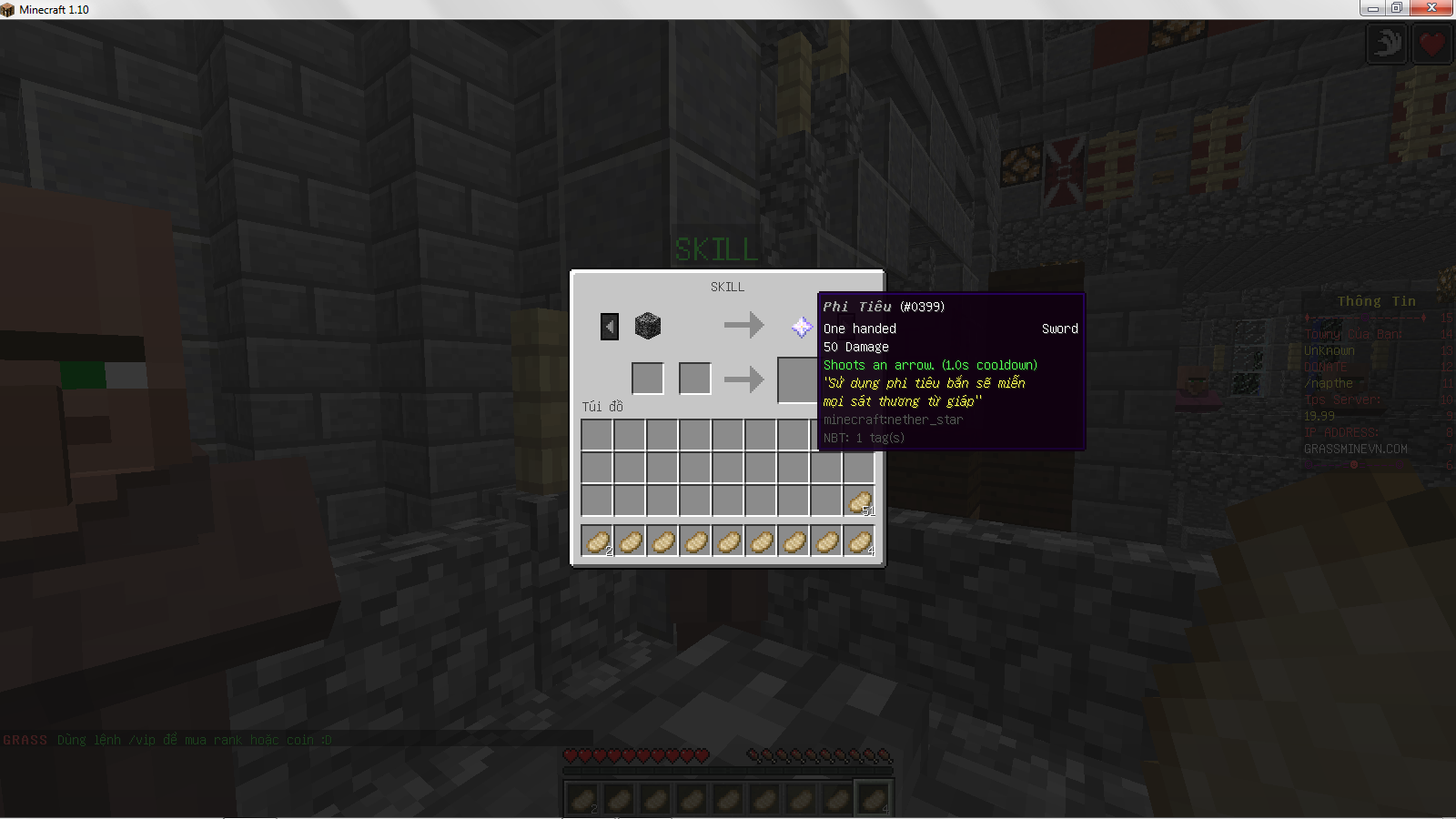
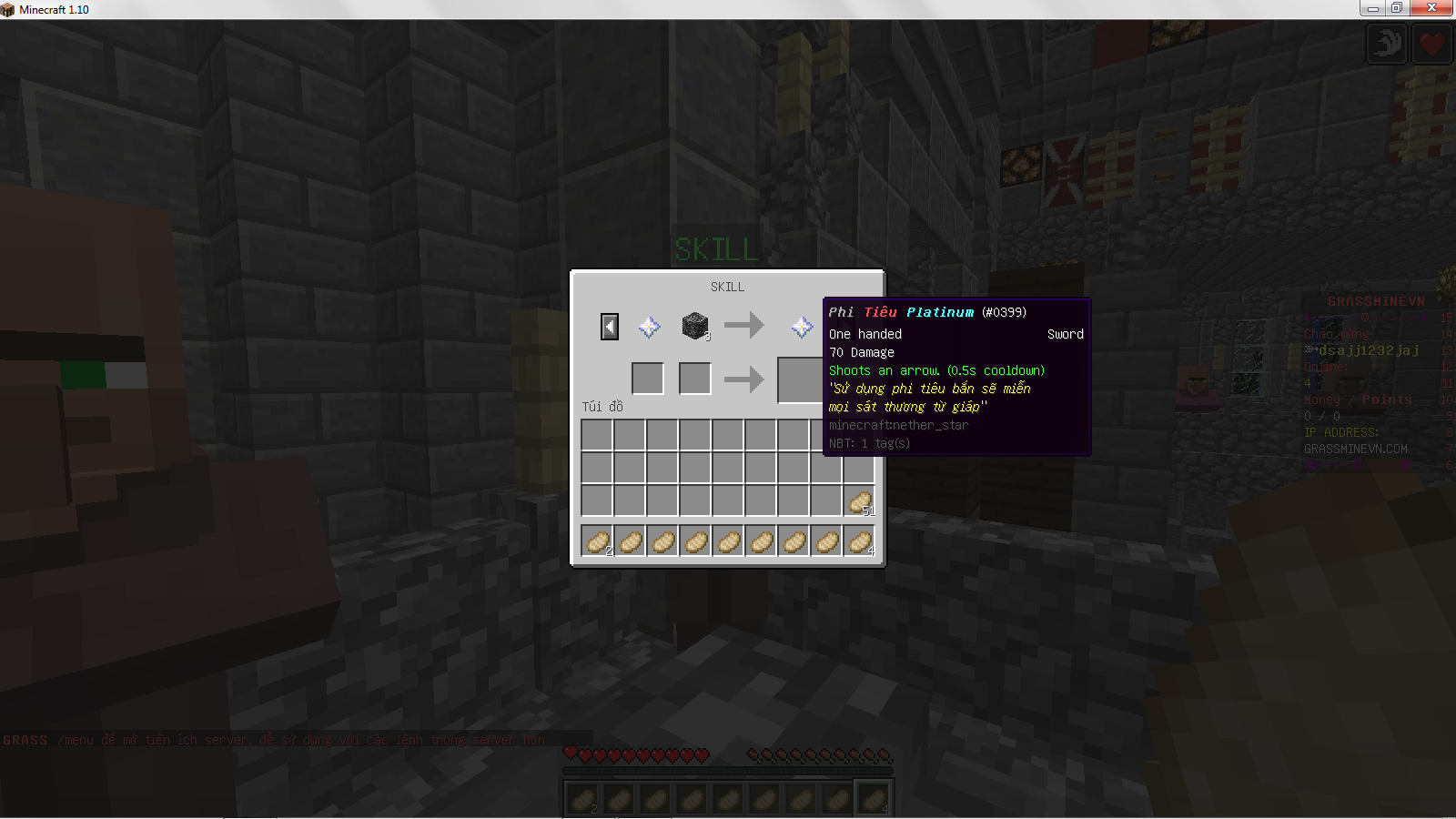
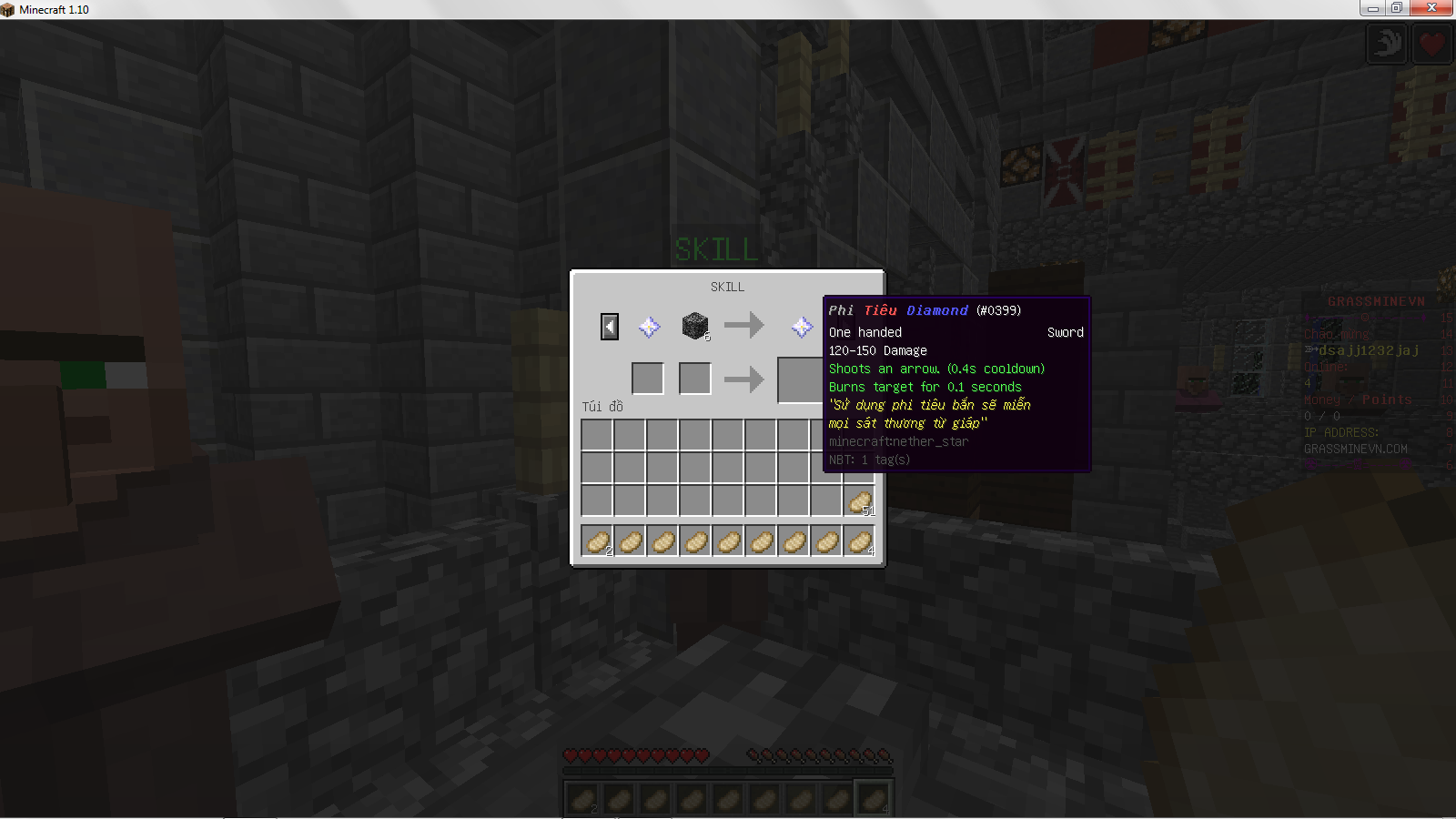
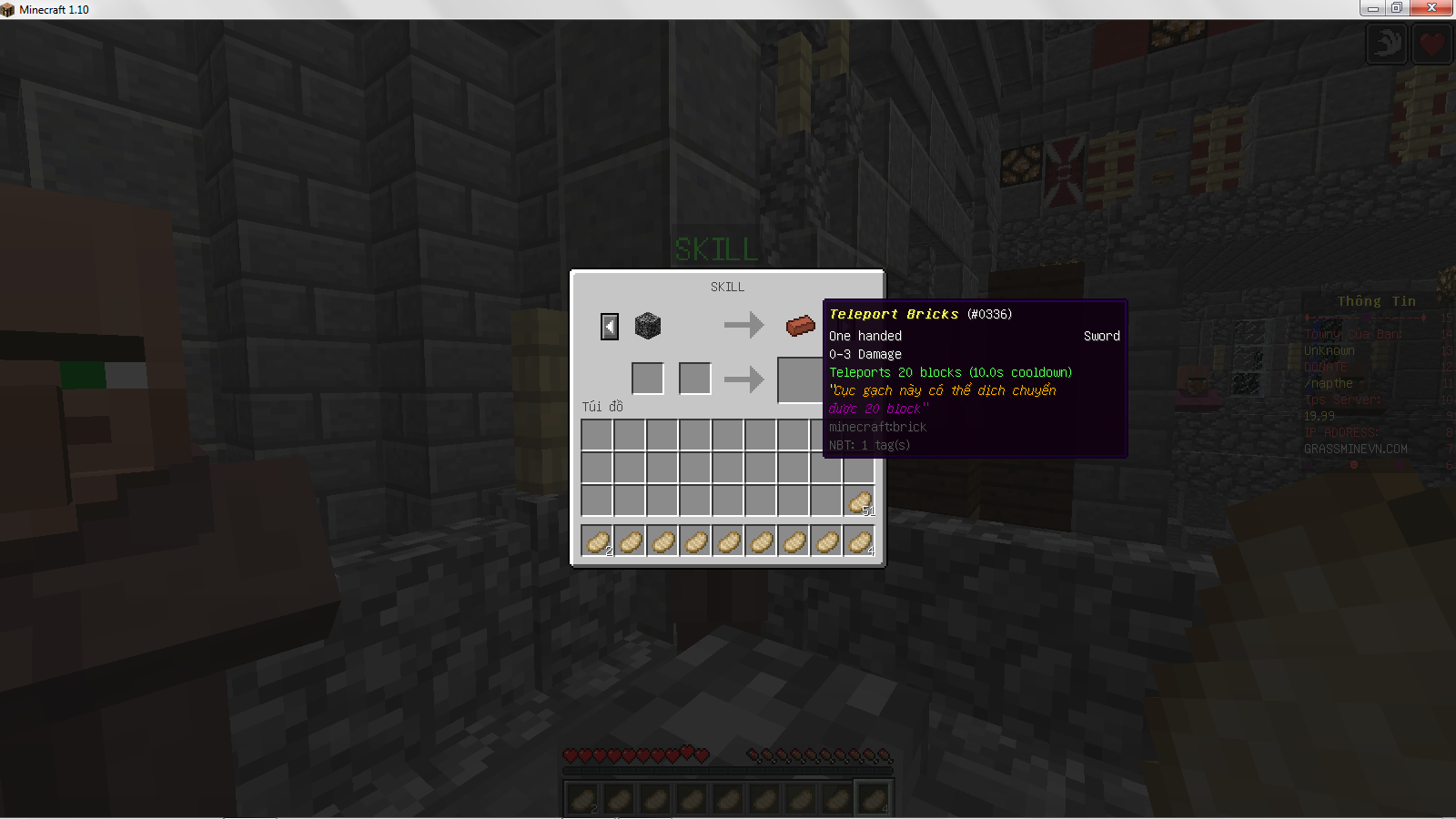
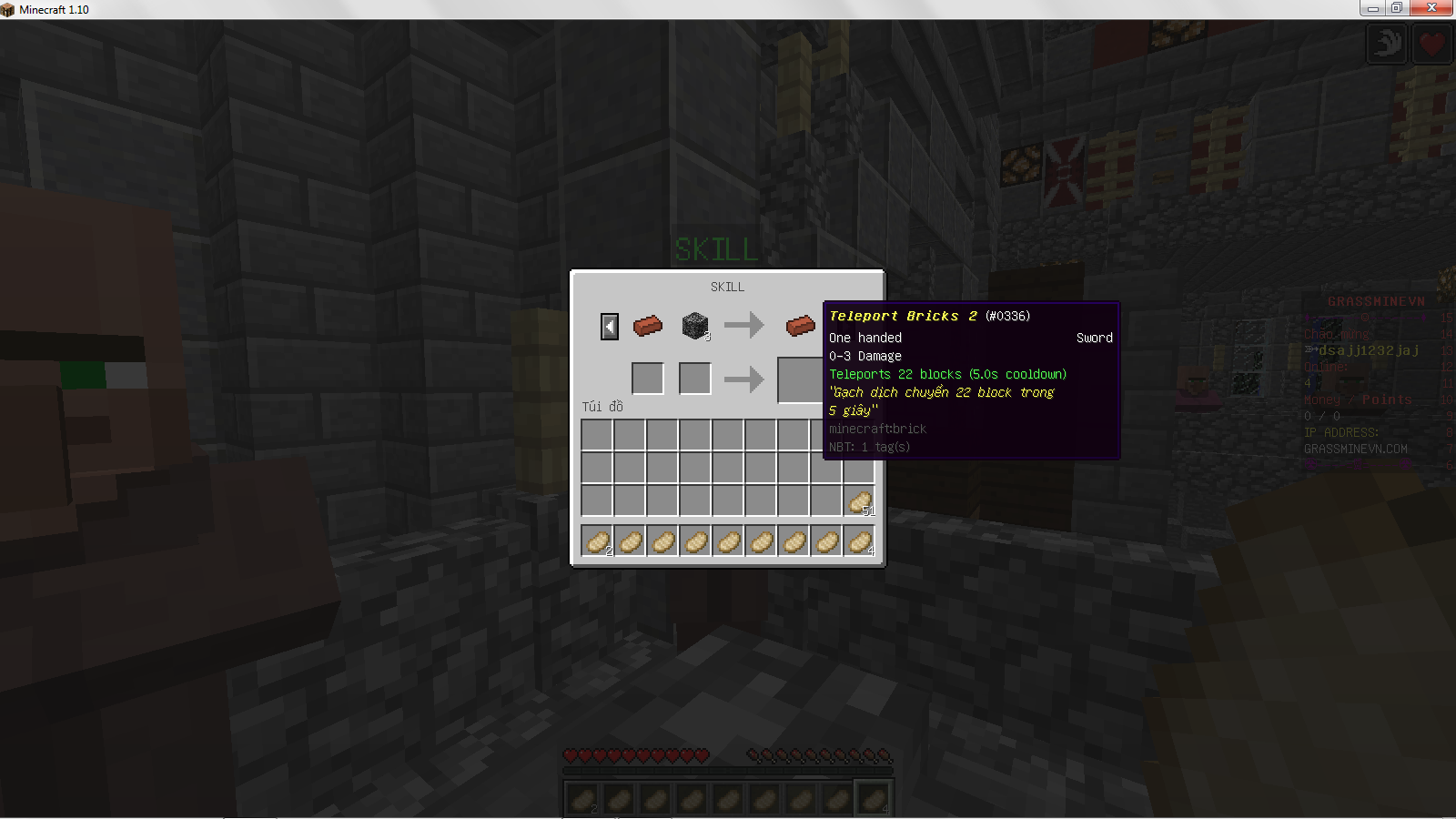
bik thì cho mik xin tên nếu được cho link down luôn đi :D
TKS!!!


Sửa lần cuối:



oh RPG có akRPG Items nha, đầy đủ skills, tha hồ lựa chọn
https://www.spigotmc.org/resources/rpgitems.17549/
List skills hơi dài, bạn có thể search qua google
list skills ở trong page đó, hoặc bạn có thể xem ở đâyoh RPG có ak
tks nha! để mik xem thử
Command:
/rpgitem [Item] power arrow [Cooldown]
Variables:

Cooldown: integer, default 20 ticks
Effect:
Fires an arrow on right click.

Command

Command:
Version 1:
/rpgitem [Item] power command [Cooldown] [left/right] [Display] [Command] [Permission]
Version 2:
/rpgitem [Item] power command [Cooldown] [left/right] [Arguments]
Variables:
Version 1:

Cooldown: integer, no default

Display: string, sets tooltip display, no default

Command: string, no default

Permission: string, default none

Version 2:

Arguments: string, | seperated list of display,command, and permission variables from version 1
Effect:
Runs command on left/right click, gives set permission for the command if a permission is set.

You can use some template in command string. e.g. {player} for the player using the item. Templates supported now:

player player's name
yaw player's eye's yaw, Decimal
pitch player's eye's pitch, Decimal
CommandHit

Command:
/rpgitem [Item] power commandhit [Cooldown] [Display] [Command] [Permission]
Variables:

Cooldown: integer, no default

Display: string, sets tooltip display, no default

Command: string, no default

Permission: string, default none

Effect:
Runs command when player hits a LivingEntity, gives set permission for the command if a permission is set.

You can use some template in command string. e.g. {player} for the player using the item. Templates supported now:

entity entity's name
entity.uuid entity's UUID
entity.x entity's X coordinate, integral
entity.y entity's Y coordinate, integral
entity.z entity's Z coordinate, integral
entity.yaw entity's eye's yaw, Decimal
entity.pitch entity's eye's pitch, Decimal
player player's name
player.x player's X coordinate, integral
player.y player's Y coordinate, integral
player.z player's Z coordinate, integral
player.yaw player's eye's yaw, Decimal
player.pitch player's eye's pitch, Decimal
Consume

Command:
/rpgitem [Item] power consume
No variables
Effect:
Removes the item on right click.

Fire

Command:
/rpgitem [Item] power fire [Cooldown] [Distance] [Burnduration]
Variables:

Cooldown: integer, in ticks, no default
Distance: integer, in blocks, no default
Burnduration: integer, in ticks, no default
Effects:
Shoots fire on right click.

Fireball

Command:
/rpgitem [Item] power fireball [Cooldown]
Variables:

Cooldown: integer, default 20 ticks
Effects:
Fires a fireball on right click.

Flame

Command:
/rpgitem [Item] power flame [Burntime]
Variables:

Burntime: integer, in ticks, default 20 ticks
Effect:
Sets target on fire on hit.

Food

Command:
/rpgitem [Item] power food [Food Points]
Variables:

Food Points: integer, default 5 food points
Effect:
Consume the item and adds [Food Points] food points to the player. (As if we ate food).

Ice

Command:
/rpgitem [Item] power ice [Cooldown]
Variables:

Cooldown: integer, default 20 ticks
Effect:
Fires an ice block on right click which will then create a box of ice on impact, the ice will slowly remove itself.

Knockup

Command:
/rpgitem [Item] power knockup [Chance] [Power]
Variables:

Chance: integer, default 20
Power: double, default 2
Effect
Chance 1/[Chance], that the hit will send the target flying.

Lightning

Command:
/rpgitem [Item] power lightning [Chance]
Variables:

Chance: integer, default 2O
Effect:
Chance 1/[Chance], that the hit will summon a lightning upon the target.

Potion Hit

Command:
/rpgitem [Item] power potionhit [Chance] [Duration] [Amplifier] [Effect]
Variables:

Chance: integer, no default
Duration: integer, no default, in ticks
Amplifier: integer, no default, level of the effect
Effect: string, no default, possible effects
Effect:
Applies potion effect with chance 1/[Chance].

Potion Self

Command:
/rpgitem [Item] power potionself [Cooldown] [Duration] [Amplifier] [Effect]
Variables:

Cooldown: integer, in ticks, no default
Duration: integer, no default, in ticks
Amplifier: integer, no default, level of the effect
Effect: string, no default, possible effects
Effect:
Applies potion effect on right click.

Potion Tick

Command:
/rpgitem [Item] power potiontick [Amplifier] [Effect]
Variables:

Amplifier: integer, no default, level of the effect
Effect: string, no default, possible effects
Effect:
Gives the wielder the specified potion effect.

Rainbow

Command:
/rpgitem [Item] power rainbow [Cooldown] [Count]
Variables:

Cooldown: integer, in ticks, default 20 ticks
Count: integer, number of blocks, default 5
Effect:
Fires blocks of coloured wool on right click, the wool will remove itself.

Rumble

Command:
/rpgitem [Item] power rumble [Cooldown] [Power] [Distance]
Variables:

Cooldown: integer, in ticks, no default
Power: integer, no default
Distance: integer, no default, how far the wave travels
Effect:
Sends a shockwave through the ground and sends any hit entities flying.

Skyhook

Command
/rpgitem [Item] power skyhook [Material] [Distance]
Variables:

Material: string, name of the material the skyhook will attach to, no default
Distance: integer, no default
Effect:
Hooks onto set material, similar to Bishock's skyhook.

Teleport

Command:
/rpgitem [Item] power teleport [Cooldown] [Distance]
Variables:

Cooldown: integer, in ticks, default 20 ticks
Distance: integer, how many blocks to teleport, default 5 blocks
Effect:
Teleports player in the direction (s)he is looking in.

Tipped Arrow

Command:
/rpgitem [Item] power tippedarrow [Cooldown] [Effect] [Duration] [Amplifier]
Variables:

Cooldown: integer,no default
Effect: string, no default, possible effects
Duration: integer, no default, in ticks
Amplifier: integer, no default, level of the effect
Effect:
Fires an tipped arrow with specified effect on right click.

TNT Cannon

Command:
/rpgitem [Item] power tntcannon [Cooldown]
Variables:

Cooldown: integer, in ticks, default 20 ticks
Effect:
Fires active TNT on right click.

Torch

Command:
/rpgitem [Item] power torch [Cooldown]
Variables:

Cooldown: integer, in ticks, no default
Effect:
Shoots torches on right click.oh tks nha! :Dlist skills ở trong page đó, hoặc bạn có thể xem ở đây
Mã:Command: /rpgitem [Item] power arrow [Cooldown] Variables: Cooldown: integer, default 20 ticks Effect: Fires an arrow on right click. Command Command: Version 1: /rpgitem [Item] power command [Cooldown] [left/right] [Display] [Command] [Permission] Version 2: /rpgitem [Item] power command [Cooldown] [left/right] [Arguments] Variables: Version 1: Cooldown: integer, no default Display: string, sets tooltip display, no default Command: string, no default Permission: string, default none Version 2: Arguments: string, | seperated list of display,command, and permission variables from version 1 Effect: Runs command on left/right click, gives set permission for the command if a permission is set. You can use some template in command string. e.g. {player} for the player using the item. Templates supported now: player player's name yaw player's eye's yaw, Decimal pitch player's eye's pitch, Decimal CommandHit Command: /rpgitem [Item] power commandhit [Cooldown] [Display] [Command] [Permission] Variables: Cooldown: integer, no default Display: string, sets tooltip display, no default Command: string, no default Permission: string, default none Effect: Runs command when player hits a LivingEntity, gives set permission for the command if a permission is set. You can use some template in command string. e.g. {player} for the player using the item. Templates supported now: entity entity's name entity.uuid entity's UUID entity.x entity's X coordinate, integral entity.y entity's Y coordinate, integral entity.z entity's Z coordinate, integral entity.yaw entity's eye's yaw, Decimal entity.pitch entity's eye's pitch, Decimal player player's name player.x player's X coordinate, integral player.y player's Y coordinate, integral player.z player's Z coordinate, integral player.yaw player's eye's yaw, Decimal player.pitch player's eye's pitch, Decimal Consume Command: /rpgitem [Item] power consume No variables Effect: Removes the item on right click. Fire Command: /rpgitem [Item] power fire [Cooldown] [Distance] [Burnduration] Variables: Cooldown: integer, in ticks, no default Distance: integer, in blocks, no default Burnduration: integer, in ticks, no default Effects: Shoots fire on right click. Fireball Command: /rpgitem [Item] power fireball [Cooldown] Variables: Cooldown: integer, default 20 ticks Effects: Fires a fireball on right click. Flame Command: /rpgitem [Item] power flame [Burntime] Variables: Burntime: integer, in ticks, default 20 ticks Effect: Sets target on fire on hit. Food Command: /rpgitem [Item] power food [Food Points] Variables: Food Points: integer, default 5 food points Effect: Consume the item and adds [Food Points] food points to the player. (As if we ate food). Ice Command: /rpgitem [Item] power ice [Cooldown] Variables: Cooldown: integer, default 20 ticks Effect: Fires an ice block on right click which will then create a box of ice on impact, the ice will slowly remove itself. Knockup Command: /rpgitem [Item] power knockup [Chance] [Power] Variables: Chance: integer, default 20 Power: double, default 2 Effect Chance 1/[Chance], that the hit will send the target flying. Lightning Command: /rpgitem [Item] power lightning [Chance] Variables: Chance: integer, default 2O Effect: Chance 1/[Chance], that the hit will summon a lightning upon the target. Potion Hit Command: /rpgitem [Item] power potionhit [Chance] [Duration] [Amplifier] [Effect] Variables: Chance: integer, no default Duration: integer, no default, in ticks Amplifier: integer, no default, level of the effect Effect: string, no default, possible effects Effect: Applies potion effect with chance 1/[Chance]. Potion Self Command: /rpgitem [Item] power potionself [Cooldown] [Duration] [Amplifier] [Effect] Variables: Cooldown: integer, in ticks, no default Duration: integer, no default, in ticks Amplifier: integer, no default, level of the effect Effect: string, no default, possible effects Effect: Applies potion effect on right click. Potion Tick Command: /rpgitem [Item] power potiontick [Amplifier] [Effect] Variables: Amplifier: integer, no default, level of the effect Effect: string, no default, possible effects Effect: Gives the wielder the specified potion effect. Rainbow Command: /rpgitem [Item] power rainbow [Cooldown] [Count] Variables: Cooldown: integer, in ticks, default 20 ticks Count: integer, number of blocks, default 5 Effect: Fires blocks of coloured wool on right click, the wool will remove itself. Rumble Command: /rpgitem [Item] power rumble [Cooldown] [Power] [Distance] Variables: Cooldown: integer, in ticks, no default Power: integer, no default Distance: integer, no default, how far the wave travels Effect: Sends a shockwave through the ground and sends any hit entities flying. Skyhook Command /rpgitem [Item] power skyhook [Material] [Distance] Variables: Material: string, name of the material the skyhook will attach to, no default Distance: integer, no default Effect: Hooks onto set material, similar to Bishock's skyhook. Teleport Command: /rpgitem [Item] power teleport [Cooldown] [Distance] Variables: Cooldown: integer, in ticks, default 20 ticks Distance: integer, how many blocks to teleport, default 5 blocks Effect: Teleports player in the direction (s)he is looking in. Tipped Arrow Command: /rpgitem [Item] power tippedarrow [Cooldown] [Effect] [Duration] [Amplifier] Variables: Cooldown: integer,no default Effect: string, no default, possible effects Duration: integer, no default, in ticks Amplifier: integer, no default, level of the effect Effect: Fires an tipped arrow with specified effect on right click. TNT Cannon Command: /rpgitem [Item] power tntcannon [Cooldown] Variables: Cooldown: integer, in ticks, default 20 ticks Effect: Fires active TNT on right click. Torch Command: /rpgitem [Item] power torch [Cooldown] Variables: Cooldown: integer, in ticks, no default Effect: Shoots torches on right click.

|
Hỏi đáp Hum nay bạn nào cho tui biết plugins nào để tạo ra 1 cái tường để chặn giống như grassmine
|
|
|
Đã giải quyết Bác nào biết plugins nào để tạo rank từ A đến Z cho prison ko
|
|
|
Hỏi đáp Bác nào cho hỏi, tui dùng plugins PlotMe vs mul... để tạo ra map plot của sever nhưng lại lỗi
|
|
|
Đã giải quyết plugins nào tạo ra cái bảng thông tin cho prison?
|
|
|
Đã giải quyết chỉ dùm tui cách tạo rank prison từ A đến Z đi bằng plugins gì và lệnh như thế nào ?
|


