• Trong thời gian này, bạn không thể tạo bài mới, đăng comment, hay tạo tài nguyên mới để diễn đàn dọn dẹp nội dung.
    Diễn đàn sẽ sớm mở trở lại, chi tiết hãy theo dõi tại Discord
shoeMaggie

Hỏi đáp Lỗi Featherboard bác nào vào giúp em với

  • Người tạo chủ đề Người tạo chủ đề shoeMaggie
  • Ngày gửi Ngày gửi
Trạng thái
Không mở trả lời sau này.
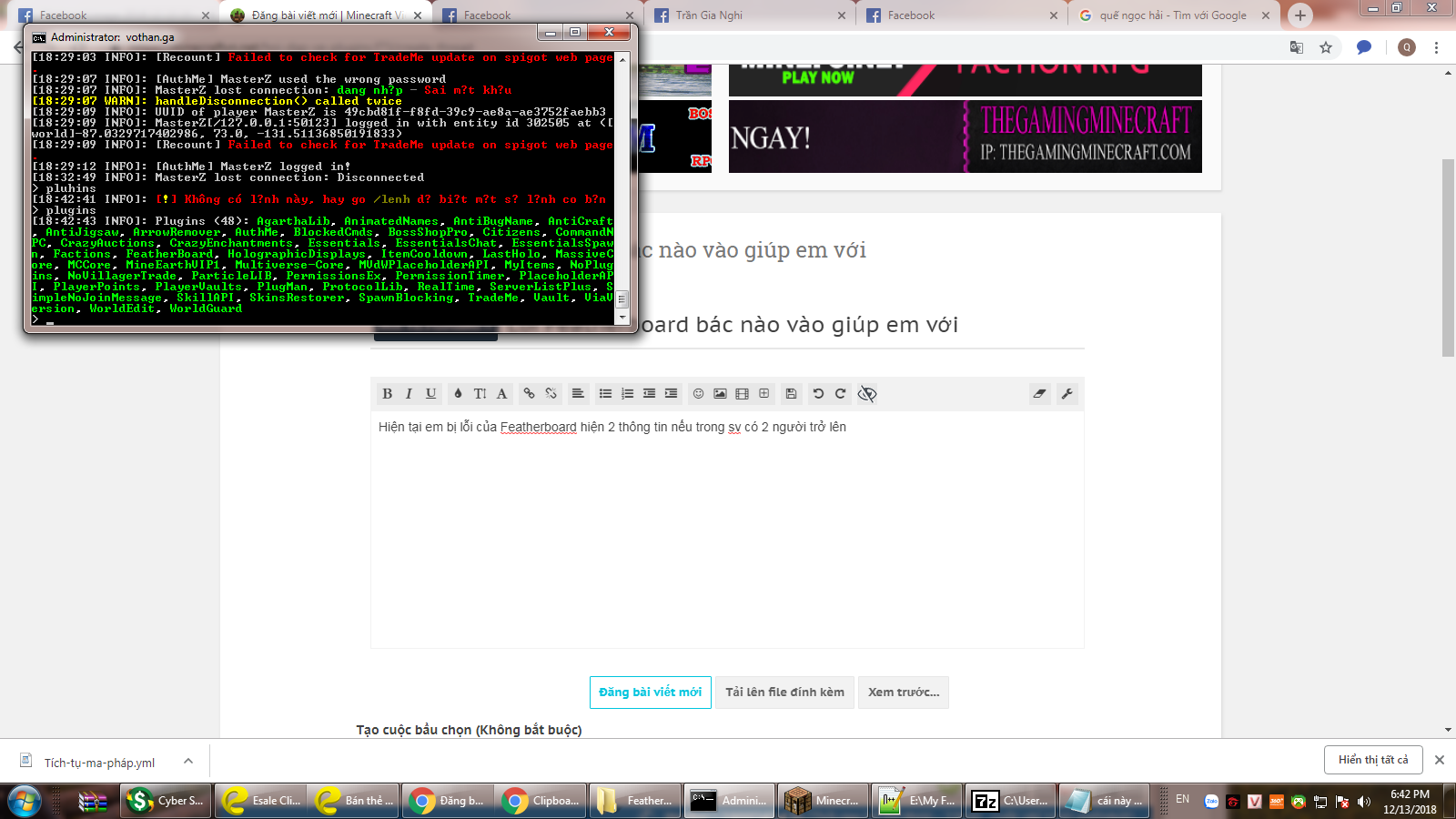
Hiện tại em bị lỗi của Featherboard hiện 2 thông tin nếu trong sv có 2 người trở lên

p/s: em có tìm hiểu qua 1 xíu nghe các cao nhân là có plugin board khác xung đột hoặc heathbar anh em xem giúp em
upload_2018-12-13_18-43-16.png
 
cái đó là do config sai chứ lỗi j, show config ra
# ------------------------------ #
#
# FeatherBoard 3
# Runs like a feather on your server
# (c) Maxim Van de Wynckel
#
# ------------------------------ #

# Permissions: To use the action groups give them the permission
# featherboard.group.<group>
# Make sure to remove them from the other groups
# when giving a new permission.

# Variables: These variables can be used in the TEXT section
# of both the header as the footer.
#
# {PLAYER} - Player name
# {PLAYERNICK} - Player nickname
# {SERVER} - Server name
# {PLAYERCOUNT} - Server player count
# {BUNGEECOUNT} - Bungee network player count
# 5000+ more ... see spigot page

# Formatting: These are formatting tags allowing you to format the animations
# or placeholders.
#
# Substring: This allows you to split a word (even a placeholder) in parts
# example: <substring begin=0 end=3>Hello World</substring> = Hel
# usage: This can be used to split placeholders when creating a typewriter
# or to split the colors in a placeholder.
#
# Scroll: This creates a scrolling animation of the text inside it. It accepts
# two arguments (the length and space between scrolls).
# example: <scroll width=20 spaces=20>&2This is a &atest</scroll>
#
# PLENTY MORE! See spigot page

#~~~~~~~~~~~~~~~~~~~~~~~~~~~~~~~~~~~~~~~~~~~#
# GENERAL PLUGIN SETTINGS
#~~~~~~~~~~~~~~~~~~~~~~~~~~~~~~~~~~~~~~~~~~~#

## Config version (DO NOT EDIT)
config: 3

## Language file
lang: 'en'

## Debug mode
debug: false

## Log to file
log:
enabled: true
# Reset log on startup
reset: false

## Update checking
update:
check: true # RECOMMENDED YOU LEAVE THIS TRUE

#~~~~~~~~~~~~~~~~~~~~~~~~~~~~~~~~~~~~~~~~~~~#
# PLUGIN SPECIFIC SETTINGS
#~~~~~~~~~~~~~~~~~~~~~~~~~~~~~~~~~~~~~~~~~~~#

# Placeholder settings
placeholder:
# logs the memory usage of placeholders on startup
log-memory: false
# Clear unused placeholders that are not enabled.
clear-unused: true
# Config cache only
# This will only use placeholders in the config
# HOWEVER: IT WILL BREAK ALL CUSTOM PLACEHOLDERS!
# IT WILL ALSO PREVENT ANY HOOKS (PlaceholderAPI)
config-cache: false

# Tweaks to increase performance (Use at own risk)
tweaks:
# This option does not send scoreboard remove packets
# to the client on quit. This can increase performance on servers
# where players quit a lot (hubs, ...)
#
# Removal of the plugin requires you to manually delete the scoreboard.dat in the worlds
# /data folder
#
# Enabling this can cause the scoreboard not to work anymore. Use at your own risk
keepScoreboardOnQuit: false
# Some placeholders have a slow process behind them. Meaning they might contact a database
# and take a while to 'resolve'. This will never cause lagg since the placeholders are loaded
# separate from the sending. But can slow down the animation because it has to wait
# for the placeholder to be loaded. When having multiple lines like a text that shows
# the information about the placeholders you put below it, this can cause problems.
# Enabling this will output a message in the console and ingame to operators
# saying when a placeholder is causing delays.
detect-placeholderdelay: true
# Putting this to true will SPAM your console with timings report per placeholder/animation
# refresh. Used for debugging purposes.
# This requires detect-placeholderdelay to true
verbose-placeholder-timings: false
# Ignore placeholder problems
# When set to true, the placeholder will not be disabled
# this also means that no ERRORS will be logged -> no troubleshooting
ignore-placeholder-problems: false

# Toggling allows you to disable the scoreboard
database:
# If you want the toggle to stay even when your users
# log off you can enable this. Keep in mind that this requires a
# MySQL or SQLite database.
# If you are configuring the plugin for the first time it is advised
# to stay away from these settings until you managed the scoreboard
# set up.
persistent: false
# Database configuration is SIMILAR to http://wiki.bukkit.org/Bukkit.yml#database
# with isolation, url, driver, ...
# Database name
database: "featherboard"
# Database username
username: bukkit
# Database isolation type
isolation: SERIALIZABLE
# Database driver
driver: org.sqlite.JDBC
# Database password
password: walrus
# Database driver URL
# {DIR} will be replaced with the plugin directory
# {NAME} will be replaced wit the plugin name
url: jdbc:-sqlite:{DIR}{NAME}.db
# Save interval in ticks
save-interval: 20

# Disabled worlds. Add your world name in this list to
# disable it.
disabled-worlds:
- 'example_world'

# Show delay on join. Usefull if you wish to let the user
# enjoy a Title MOTD without having the scoreboard obstructing
# the view.
show-delay: 20

# Anti Flicker will use a new engine that will allow you to use fast animations
# without any flicker.
# You can disable this feature if you do not have fast refresh rates.
antiflicker: true

# Scoreboard assigning. The boards can be assigned by various ways.
# default the scoreboards will be assigned by permissions.
# You can only have one way of assigning the scoreboards
#
# PERMISSION - Assign scoreboards based on permissions
# This is the default setting (since 2014)
# featherboard.group.<scoreboard>
#
# GROUP - Assign scoreboards based on Vault groups
# this means the scoreboard name has to
# have the name of your Vault group.
#
# WORLD - Assign scoreboards based on the world
# the player is in.
#
# NONE - Do no assign scoreboards and just rely on
# manual assigning (triggers, etc...)
scoreboard-assigning: "PERMISSION"

# GUI: This is a feature enabling a GUI to select a specific scoreboard
# The GUI will show all scoreboards you have permission to. It is not very
# configurable in the way you can't control the location or order of the scoreboards
# For a more configurable GUI I recommend DeluxeMenus
gui:
# This is the title of the GUI
title: "Scoreboards"
# Size of the GUI (leave to -1 to make it dynamic)
# Sizes: 9,27,54
size: -1

# A list of different scoreboards
boards:
# Default FeatherBoard comes with a board called "default". All players have the permission
# featherboard.group.default (by default) meaning all players should see the scoreboard unless
# the permission is negated.
#
# You can create as many boards as you want as long as the name is unique. It is advised to give logical
# names such as "vip-board", "mcmmo-levelup", ...
default:
# Every section here are different lines. The first section will be used as the title
# the following sections will be used as the lines on the scoreboard (max 15)
# Just as the scoreboard names you can name these 'lines' whatever you want. But to make
# things simple I will use logical names such as "title", "spacer", "header", ...
title:
# Every line has its own frames. The animation will loop through these frames on intervals
# that you configure below.
# Put all your frames under 'text:'. You can make as many lines as you want and use
# placeholders and preset effects.
# Keep in mind that there is a limit in line width!
text:
# To create cool looking animations you create yourself
# you can use the graphical tool AnimationCreator
# https://www.spigotmc.org/resources/animationcreator.6001/
# For all placeholders: https://www.spigotmc.org/wiki/mvdw-placeholders/
# For all preset effects: https://www.spigotmc.org/wiki/mvdw-effects/
- ' &7&l[ &7{player} &7&l]'
# Interval is the animation interval in TICKS (20 ticks is one second).
# Every X ticks the animation goes to the next frame (see above)
# Once all frames are finished it will start over from the first one
interval: 2
# If you don't want a static order of the frames and want to show each frame at random
# you can enable this option.
random: false
# A scoreboard is dynamic. The lines can change length due to smaller placeholders or scrolling text.
# that is why it is advised to have something on your scoreboard that is bigger then all other lines.
# These lines (usually a header or footer) are also good for decoration.
khoangtrong1:
text:
- ''
interval: 2
random: false
ip1:
text:
- '&7Vàng: &e{money}'
interval: 2
random: false
ip2:
text:
- '&7Ngọc: &a{playerpoints}'
interval: 2
random: false
ip3:
text:
- ''
interval: 2
random: false
ip:
text:
- '&7Class: &a{placeholderapi_sapi_prefix}'
interval: 2
random: false
khoangtrong2:
text:
- '&7LV: &a{placeholderapi_sapi_level}'
khoangtrong3:
text:
- '&7XP: &f{placeholderapi_sapi_exp}/&7{placeholderapi_sapi_exp_req}'
interval: 2
random: false
khoangtrong8:
text:
- ''
interval: 2
random: false
khoangtrong10:
text:
- '&7Điểm cộng: &f{placeholderapi_sapi_attrib_points}'
khoangtrong11:
text:
- '&7Điểm kỹ năng: &f{placeholderapi_sapi_skill_points} '
interval: 2
random: false
khoangtrong12:
text:
- ''
interval: 2
random: false
khoangtrong9:
text:
- '&7play.vothan.ga'
interval: 2
random: false
# This is a combat scoreboard example showing
# combat related information.
# DO NOT GIVE THE PERMISSION FOR THIS SCOREBOARD
# (Unless you want it to show all the time)
# You still need to 'trigger' this scoreboard in the vanilla_combat
combat-scoreboard-example:
# Lets just use the title,header and footer from the example above
# for in depth configuration look above.
#
# When designing a board that is used when triggered on an event. You have
# to think (before looking at the placeholders) what is relevant.
# For example: When I think of combat my first thoughts are:
# - Health: To see how much you have left
# - Possible cooldown timers
# - With who am I in combat?
# - Target health
# - mcMMO attacking level?
#
# Next you have to think what is important during that event:
# - Combat: not too much distraction (no animations, smaller scoreboard)
#
# Once you know those things start looking for placeholders. A lot of events such
# as mcmmo have placeholders that can only be used in such events.
title:
text:
# To create cool looking animations you create yourself
# you can use the graphical tool AnimationCreator
# https://www.spigotmc.org/resources/animationcreator.6001/
# For all placeholders: https://www.spigotmc.org/wiki/mvdw-placeholders/
# For all preset effects: https://www.spigotmc.org/wiki/mvdw-effects/
- '<single><delay times="10">&l><</delay></single>'
- '<single>&f&ler</single>' # <single> will allow the frame to only run ONCE
- '<single>&f&lherB</single>'
- '<single>&f&lherBo</single>'
- '<single>&f&latherBoa</single>'
- '<single>&f&leatherBoar</single>'
- ' <delay times="100">&f&lFeatherBoard&1&l3</delay>' # <delay> will repeat the line X times
interval: 2
random: false
header:
text:
- '&a&m+-----------------+'
interval: 10
random: true
combat-label:
text:
- '&8&l> &7&lCombat target:'
interval: 100
random: false
combat-data:
text:
- '{vanilla-combat_opponent_name}'
interval: 2
random: false
spacer1:
text: []
interval: 100
health-label:
text:
- '&8&l> &7&lHealth stats:'
interval: 100
random: false
health-data-1:
text:
- '&aYou: {healthbar}'
interval: 1
random: false
health-data-2:
text:
- '&cTarget: {vanilla-combat_opponent_healthbar}'
interval: 1
random: false
footer:
text:
- '&a&m+-----------------+'
interval: 10
random: true
# This is an example for mcMMO when you level up
# DO NOT GIVE THE PERMISSION FOR THIS SCOREBOARD
# (Unless you want it to show all the time)
# You still need to 'trigger' this scoreboard in the 'mcmmo-levelup'
mcmmo-levelup:
title:
text:
# To create cool looking animations you create yourself
# you can use the graphical tool AnimationCreator
# https://www.spigotmc.org/resources/animationcreator.6001/
# For all placeholders: https://www.spigotmc.org/wiki/mvdw-placeholders/
# For all preset effects: https://www.spigotmc.org/wiki/mvdw-effects/
- '<single><delay times="10">&l><</delay></single>'
- '<single>&f&ler</single>' # <single> will allow the frame to only run ONCE
- '<single>&f&lherB</single>'
- '<single>&f&lherBo</single>'
- '<single>&f&latherBoa</single>'
- '<single>&f&leatherBoar</single>'
- ' <delay times="100">&f&lFeatherBoard&1&l3</delay>' # <delay> will repeat the line X times
interval: 2
random: false
header:
text:
- '&a&m+-----------------+'
interval: 10
random: true
info-label:
text:
# mcMMO-levelup comes with several event specific placeholders
- '&bCongrats! Level up: {mcmmo-levelup_levelsgained}'
interval: 10
spacer1: # This is a spacer an empty line
text:
- ''
interval: 10
# Do you want to randomize the animation frames?
random: false
skill-label: # You can add elements to the group and name them like you want
# Lets make a static label
text:
- '&9&l> &e&lSkill:'
interval: 10 # The interval is not important since its just 1 static text.
# Do you want to randomize the animation frames?
random: false
skill:
# Lets make a static label
text:
- '{mcmmo-levelup_skill_name}'
interval: 10 # The interval is not important since its just 1 static text.
# Do you want to randomize the animation frames?
random: false
spacer2: # This is a spacer an empty line
text:
- ''
interval: 100
# Do you want to randomize the animation frames?
random: false
skilllevel-label: # You can add elements to the group and name them like you want
# Lets make a static label
text:
- '&b&l> &e&lCurrent level:'
interval: 10 # The interval is not important since its just 1 static text.
# Do you want to randomize the animation frames?
random: false
skilllevel:
# Lets make a static label
text:
- '{mcmmo-levelup_skilllevel}'
interval: 10 # The interval is not important since its just 1 static text.
# Do you want to randomize the animation frames?
random: false
footer:
text:
- '&a&m+-----------------+'
interval: 10
random: true
# This is an example for Towny when you enter a town
# DO NOT GIVE THE PERMISSION FOR THIS SCOREBOARD
# (Unless you want it to show all the time)
# You still need to 'trigger' this scoreboard in the 'towny-town'
towny-town-example:
# Lets just use the title,header and footer from the example above
# for in depth configuration look above.
title:
text:
# To create cool looking animations you create yourself
# you can use the graphical tool AnimationCreator
# https://www.spigotmc.org/resources/animationcreator.6001/
# For all placeholders: https://www.spigotmc.org/wiki/mvdw-placeholders/
# For all preset effects: https://www.spigotmc.org/wiki/mvdw-effects/
- '<single><delay times="10">&l><</delay></single>'
- '<single>&f&ler</single>' # <single> will allow the frame to only run ONCE
- '<single>&f&lherB</single>'
- '<single>&f&lherBo</single>'
- '<single>&f&latherBoa</single>'
- '<single>&f&leatherBoar</single>'
- ' <delay times="100">&f&lFeatherBoard&1&l3</delay>' # <delay> will repeat the line X times
interval: 2
random: false
header:
text:
- '&a&m+-------------------+'
interval: 10
random: true
town-label:
text:
- '&bYou are in town:'
interval: 100
town-data:
text:
- '{towny_currenttown_name}'
interval: 100
spacer1:
text: []
interval: 100
townboard-label:
text:
- '&bTown board:'
interval: 100
townboard:
text:
- '&a<scroll minwidth="28" width="30">{towny_currenttown_townboard}</scroll>'
interval: 3
spacer2:
text: []
interval: 100
population-label:
text:
- '&bPopulation:'
interval: 100
poplulation-data:
text:
- '{towny_currenttown_residents}'
interval: 100
footer:
text:
- '&a&m+-------------------+'
interval: 10
random: true

 
# ------------------------------ #
#
# FeatherBoard 3
# Runs like a feather on your server
# (c) Maxim Van de Wynckel
#
# ------------------------------ #

# Permissions: To use the action groups give them the permission
# featherboard.group.<group>
# Make sure to remove them from the other groups
# when giving a new permission.

# Variables: These variables can be used in the TEXT section
# of both the header as the footer.
#
# {PLAYER} - Player name
# {PLAYERNICK} - Player nickname
# {SERVER} - Server name
# {PLAYERCOUNT} - Server player count
# {BUNGEECOUNT} - Bungee network player count
# 5000+ more ... see spigot page

# Formatting: These are formatting tags allowing you to format the animations
# or placeholders.
#
# Substring: This allows you to split a word (even a placeholder) in parts
# example: <substring begin=0 end=3>Hello World</substring> = Hel
# usage: This can be used to split placeholders when creating a typewriter
# or to split the colors in a placeholder.
#
# Scroll: This creates a scrolling animation of the text inside it. It accepts
# two arguments (the length and space between scrolls).
# example: <scroll width=20 spaces=20>&2This is a &atest</scroll>
#
# PLENTY MORE! See spigot page

#~~~~~~~~~~~~~~~~~~~~~~~~~~~~~~~~~~~~~~~~~~~#
# GENERAL PLUGIN SETTINGS
#~~~~~~~~~~~~~~~~~~~~~~~~~~~~~~~~~~~~~~~~~~~#

## Config version (DO NOT EDIT)
config: 3

## Language file
lang: 'en'

## Debug mode
debug: false

## Log to file
log:
enabled: true
# Reset log on startup
reset: false

## Update checking
update:
check: true # RECOMMENDED YOU LEAVE THIS TRUE

#~~~~~~~~~~~~~~~~~~~~~~~~~~~~~~~~~~~~~~~~~~~#
# PLUGIN SPECIFIC SETTINGS
#~~~~~~~~~~~~~~~~~~~~~~~~~~~~~~~~~~~~~~~~~~~#

# Placeholder settings
placeholder:
# logs the memory usage of placeholders on startup
log-memory: false
# Clear unused placeholders that are not enabled.
clear-unused: true
# Config cache only
# This will only use placeholders in the config
# HOWEVER: IT WILL BREAK ALL CUSTOM PLACEHOLDERS!
# IT WILL ALSO PREVENT ANY HOOKS (PlaceholderAPI)
config-cache: false

# Tweaks to increase performance (Use at own risk)
tweaks:
# This option does not send scoreboard remove packets
# to the client on quit. This can increase performance on servers
# where players quit a lot (hubs, ...)
#
# Removal of the plugin requires you to manually delete the scoreboard.dat in the worlds
# /data folder
#
# Enabling this can cause the scoreboard not to work anymore. Use at your own risk
keepScoreboardOnQuit: false
# Some placeholders have a slow process behind them. Meaning they might contact a database
# and take a while to 'resolve'. This will never cause lagg since the placeholders are loaded
# separate from the sending. But can slow down the animation because it has to wait
# for the placeholder to be loaded. When having multiple lines like a text that shows
# the information about the placeholders you put below it, this can cause problems.
# Enabling this will output a message in the console and ingame to operators
# saying when a placeholder is causing delays.
detect-placeholderdelay: true
# Putting this to true will SPAM your console with timings report per placeholder/animation
# refresh. Used for debugging purposes.
# This requires detect-placeholderdelay to true
verbose-placeholder-timings: false
# Ignore placeholder problems
# When set to true, the placeholder will not be disabled
# this also means that no ERRORS will be logged -> no troubleshooting
ignore-placeholder-problems: false

# Toggling allows you to disable the scoreboard
database:
# If you want the toggle to stay even when your users
# log off you can enable this. Keep in mind that this requires a
# MySQL or SQLite database.
# If you are configuring the plugin for the first time it is advised
# to stay away from these settings until you managed the scoreboard
# set up.
persistent: false
# Database configuration is SIMILAR to http://wiki.bukkit.org/Bukkit.yml#database
# with isolation, url, driver, ...
# Database name
database: "featherboard"
# Database username
username: bukkit
# Database isolation type
isolation: SERIALIZABLE
# Database driver
driver: org.sqlite.JDBC
# Database password
password: walrus
# Database driver URL
# {DIR} will be replaced with the plugin directory
# {NAME} will be replaced wit the plugin name
url: jdbc:-sqlite:{DIR}{NAME}.db
# Save interval in ticks
save-interval: 20

# Disabled worlds. Add your world name in this list to
# disable it.
disabled-worlds:
- 'example_world'

# Show delay on join. Usefull if you wish to let the user
# enjoy a Title MOTD without having the scoreboard obstructing
# the view.
show-delay: 20

# Anti Flicker will use a new engine that will allow you to use fast animations
# without any flicker.
# You can disable this feature if you do not have fast refresh rates.
antiflicker: true

# Scoreboard assigning. The boards can be assigned by various ways.
# default the scoreboards will be assigned by permissions.
# You can only have one way of assigning the scoreboards
#
# PERMISSION - Assign scoreboards based on permissions
# This is the default setting (since 2014)
# featherboard.group.<scoreboard>
#
# GROUP - Assign scoreboards based on Vault groups
# this means the scoreboard name has to
# have the name of your Vault group.
#
# WORLD - Assign scoreboards based on the world
# the player is in.
#
# NONE - Do no assign scoreboards and just rely on
# manual assigning (triggers, etc...)
scoreboard-assigning: "PERMISSION"

# GUI: This is a feature enabling a GUI to select a specific scoreboard
# The GUI will show all scoreboards you have permission to. It is not very
# configurable in the way you can't control the location or order of the scoreboards
# For a more configurable GUI I recommend DeluxeMenus
gui:
# This is the title of the GUI
title: "Scoreboards"
# Size of the GUI (leave to -1 to make it dynamic)
# Sizes: 9,27,54
size: -1

# A list of different scoreboards
boards:
# Default FeatherBoard comes with a board called "default". All players have the permission
# featherboard.group.default (by default) meaning all players should see the scoreboard unless
# the permission is negated.
#
# You can create as many boards as you want as long as the name is unique. It is advised to give logical
# names such as "vip-board", "mcmmo-levelup", ...
default:
# Every section here are different lines. The first section will be used as the title
# the following sections will be used as the lines on the scoreboard (max 15)
# Just as the scoreboard names you can name these 'lines' whatever you want. But to make
# things simple I will use logical names such as "title", "spacer", "header", ...
title:
# Every line has its own frames. The animation will loop through these frames on intervals
# that you configure below.
# Put all your frames under 'text:'. You can make as many lines as you want and use
# placeholders and preset effects.
# Keep in mind that there is a limit in line width!
text:
# To create cool looking animations you create yourself
# you can use the graphical tool AnimationCreator
# https://www.spigotmc.org/resources/animationcreator.6001/
# For all placeholders: https://www.spigotmc.org/wiki/mvdw-placeholders/
# For all preset effects: https://www.spigotmc.org/wiki/mvdw-effects/
- ' &7&l[ &7{player} &7&l]'
# Interval is the animation interval in TICKS (20 ticks is one second).
# Every X ticks the animation goes to the next frame (see above)
# Once all frames are finished it will start over from the first one
interval: 2
# If you don't want a static order of the frames and want to show each frame at random
# you can enable this option.
random: false
# A scoreboard is dynamic. The lines can change length due to smaller placeholders or scrolling text.
# that is why it is advised to have something on your scoreboard that is bigger then all other lines.
# These lines (usually a header or footer) are also good for decoration.
khoangtrong1:
text:
- ''
interval: 2
random: false
ip1:
text:
- '&7Vàng: &e{money}'
interval: 2
random: false
ip2:
text:
- '&7Ngọc: &a{playerpoints}'
interval: 2
random: false
ip3:
text:
- ''
interval: 2
random: false
ip:
text:
- '&7Class: &a{placeholderapi_sapi_prefix}'
interval: 2
random: false
khoangtrong2:
text:
- '&7LV: &a{placeholderapi_sapi_level}'
khoangtrong3:
text:
- '&7XP: &f{placeholderapi_sapi_exp}/&7{placeholderapi_sapi_exp_req}'
interval: 2
random: false
khoangtrong8:
text:
- ''
interval: 2
random: false
khoangtrong10:
text:
- '&7Điểm cộng: &f{placeholderapi_sapi_attrib_points}'
khoangtrong11:
text:
- '&7Điểm kỹ năng: &f{placeholderapi_sapi_skill_points} '
interval: 2
random: false
khoangtrong12:
text:
- ''
interval: 2
random: false
khoangtrong9:
text:
- '&7play.vothan.ga'
interval: 2
random: false
# This is a combat scoreboard example showing
# combat related information.
# DO NOT GIVE THE PERMISSION FOR THIS SCOREBOARD
# (Unless you want it to show all the time)
# You still need to 'trigger' this scoreboard in the vanilla_combat
combat-scoreboard-example:
# Lets just use the title,header and footer from the example above
# for in depth configuration look above.
#
# When designing a board that is used when triggered on an event. You have
# to think (before looking at the placeholders) what is relevant.
# For example: When I think of combat my first thoughts are:
# - Health: To see how much you have left
# - Possible cooldown timers
# - With who am I in combat?
# - Target health
# - mcMMO attacking level?
#
# Next you have to think what is important during that event:
# - Combat: not too much distraction (no animations, smaller scoreboard)
#
# Once you know those things start looking for placeholders. A lot of events such
# as mcmmo have placeholders that can only be used in such events.
title:
text:
# To create cool looking animations you create yourself
# you can use the graphical tool AnimationCreator
# https://www.spigotmc.org/resources/animationcreator.6001/
# For all placeholders: https://www.spigotmc.org/wiki/mvdw-placeholders/
# For all preset effects: https://www.spigotmc.org/wiki/mvdw-effects/
- '<single><delay times="10">&l><</delay></single>'
- '<single>&f&ler</single>' # <single> will allow the frame to only run ONCE
- '<single>&f&lherB</single>'
- '<single>&f&lherBo</single>'
- '<single>&f&latherBoa</single>'
- '<single>&f&leatherBoar</single>'
- ' <delay times="100">&f&lFeatherBoard&1&l3</delay>' # <delay> will repeat the line X times
interval: 2
random: false
header:
text:
- '&a&m+-----------------+'
interval: 10
random: true
combat-label:
text:
- '&8&l> &7&lCombat target:'
interval: 100
random: false
combat-data:
text:
- '{vanilla-combat_opponent_name}'
interval: 2
random: false
spacer1:
text: []
interval: 100
health-label:
text:
- '&8&l> &7&lHealth stats:'
interval: 100
random: false
health-data-1:
text:
- '&aYou: {healthbar}'
interval: 1
random: false
health-data-2:
text:
- '&cTarget: {vanilla-combat_opponent_healthbar}'
interval: 1
random: false
footer:
text:
- '&a&m+-----------------+'
interval: 10
random: true
# This is an example for mcMMO when you level up
# DO NOT GIVE THE PERMISSION FOR THIS SCOREBOARD
# (Unless you want it to show all the time)
# You still need to 'trigger' this scoreboard in the 'mcmmo-levelup'
mcmmo-levelup:
title:
text:
# To create cool looking animations you create yourself
# you can use the graphical tool AnimationCreator
# https://www.spigotmc.org/resources/animationcreator.6001/
# For all placeholders: https://www.spigotmc.org/wiki/mvdw-placeholders/
# For all preset effects: https://www.spigotmc.org/wiki/mvdw-effects/
- '<single><delay times="10">&l><</delay></single>'
- '<single>&f&ler</single>' # <single> will allow the frame to only run ONCE
- '<single>&f&lherB</single>'
- '<single>&f&lherBo</single>'
- '<single>&f&latherBoa</single>'
- '<single>&f&leatherBoar</single>'
- ' <delay times="100">&f&lFeatherBoard&1&l3</delay>' # <delay> will repeat the line X times
interval: 2
random: false
header:
text:
- '&a&m+-----------------+'
interval: 10
random: true
info-label:
text:
# mcMMO-levelup comes with several event specific placeholders
- '&bCongrats! Level up: {mcmmo-levelup_levelsgained}'
interval: 10
spacer1: # This is a spacer an empty line
text:
- ''
interval: 10
# Do you want to randomize the animation frames?
random: false
skill-label: # You can add elements to the group and name them like you want
# Lets make a static label
text:
- '&9&l> &e&lSkill:'
interval: 10 # The interval is not important since its just 1 static text.
# Do you want to randomize the animation frames?
random: false
skill:
# Lets make a static label
text:
- '{mcmmo-levelup_skill_name}'
interval: 10 # The interval is not important since its just 1 static text.
# Do you want to randomize the animation frames?
random: false
spacer2: # This is a spacer an empty line
text:
- ''
interval: 100
# Do you want to randomize the animation frames?
random: false
skilllevel-label: # You can add elements to the group and name them like you want
# Lets make a static label
text:
- '&b&l> &e&lCurrent level:'
interval: 10 # The interval is not important since its just 1 static text.
# Do you want to randomize the animation frames?
random: false
skilllevel:
# Lets make a static label
text:
- '{mcmmo-levelup_skilllevel}'
interval: 10 # The interval is not important since its just 1 static text.
# Do you want to randomize the animation frames?
random: false
footer:
text:
- '&a&m+-----------------+'
interval: 10
random: true
# This is an example for Towny when you enter a town
# DO NOT GIVE THE PERMISSION FOR THIS SCOREBOARD
# (Unless you want it to show all the time)
# You still need to 'trigger' this scoreboard in the 'towny-town'
towny-town-example:
# Lets just use the title,header and footer from the example above
# for in depth configuration look above.
title:
text:
# To create cool looking animations you create yourself
# you can use the graphical tool AnimationCreator
# https://www.spigotmc.org/resources/animationcreator.6001/
# For all placeholders: https://www.spigotmc.org/wiki/mvdw-placeholders/
# For all preset effects: https://www.spigotmc.org/wiki/mvdw-effects/
- '<single><delay times="10">&l><</delay></single>'
- '<single>&f&ler</single>' # <single> will allow the frame to only run ONCE
- '<single>&f&lherB</single>'
- '<single>&f&lherBo</single>'
- '<single>&f&latherBoa</single>'
- '<single>&f&leatherBoar</single>'
- ' <delay times="100">&f&lFeatherBoard&1&l3</delay>' # <delay> will repeat the line X times
interval: 2
random: false
header:
text:
- '&a&m+-------------------+'
interval: 10
random: true
town-label:
text:
- '&bYou are in town:'
interval: 100
town-data:
text:
- '{towny_currenttown_name}'
interval: 100
spacer1:
text: []
interval: 100
townboard-label:
text:
- '&bTown board:'
interval: 100
townboard:
text:
- '&a<scroll minwidth="28" width="30">{towny_currenttown_townboard}</scroll>'
interval: 3
spacer2:
text: []
interval: 100
population-label:
text:
- '&bPopulation:'
interval: 100
poplulation-data:
text:
- '{towny_currenttown_residents}'
interval: 100
footer:
text:
- '&a&m+-------------------+'
interval: 10
random: true


Cho vào http://pastebin.com đi, nhìn đau cả mắt
 
Trạng thái
Không mở trả lời sau này.

Thống kê nội dung

Tạo
shoeMaggie,
Trả lời lần cuối từ
Cross,
Trả lời
3
Lượt xem
223
Quay lại
Trên cùng