• Trong thời gian này, bạn không thể tạo bài mới, đăng comment, hay tạo tài nguyên mới để diễn đàn dọn dẹp nội dung.
    Diễn đàn sẽ sớm mở trở lại, chi tiết hãy theo dõi tại Discord
S

Hỏi đáp Cho e hỏi về click combo của skillAPI

Trạng thái
Không mở trả lời sau này.
Làm sao để chỉnh cho nó hiện cái phải trái shift trên màn hình khi mình ấn vậy mấy a e chỉnh như vầy rồi mà k dc :


Click Combos:

# Whether or not to use click combinations
enabled: 'true'

# Whether or not players can customize their combos
allow-custom: 'true'

# Whether or not left clicks are allowed at all
use-click-left: 'true'

# Whether or not right clicks are allowed at all
use-click-right: 'true'

# Whether or not shift clicks are allowed at all
use-click-shift: 'true'

# Whether or not shift clicks are allowed at all
# This will disable "use-click-shift" if enabled
use-click-right-shift: 'true'

# Whether or not shift clicks are allowed at all
# This will disable "use-click-shift" if enabled
use-click-left-shift: 'true'

# Whether or not shift clicks are allowed at all
use-click-space: 'true'
Mong ai đó ai e
*****Nội dung được bổ sung thêm*****
ai biết e sai chỗ nào k ạ :cry2:
 
use-click-right-shift: 'true' = False
use-click-left-shift: 'true' = False
allow-custom: 'true' = False
*****Nội dung được bổ sung thêm*****
GUI:

# Whether or not to lock the health bar to 10 hearts
# This does not affect total health, only the display
old-health-bar: 'true'

# Whether or not to force SkillAPI to override
# health scaling of other plugins
force-scaling: 'false'

# This is what to display using the level bar, if anything.
# Options are: none, mana, level
level-bar: 'none'

# This is what to display using the food bar, if anything.
# Options are: none, mana, exp
food-bar: 'none'

# Whether or not to use the action bar
use-action-bar: 'true'

# The text to display on the action bar.
# Available filters:
# {combo} - the player's current click combo
# {class} - the player's main class name
# {level} - the player's main class level
# {exp} - the player's main class exp
# {expReq} - the player's main class required experience
# {expLeft} - the player's main class experience until the next level
# {health} - the player's current health
# {maxHealth} - the player's max health
# {mana} - the player's current mana
# {maxMana} - the player's max mana
# {name} - the name of the player
# {attr} - the player's attribute points
# {sp} - the player's main class skill points
# {value:<key>} - a skill value
action-bar-text: '{combo}'

# Whether or not to use title messages
title-enabled: 'true'

# Duration for title messages in seconds
title-duration: '3'

# Fade in time for title messages in seconds
title-fade-in: '0.5'

# Fade out time for title messages in seconds
title-fade-out: '0.5'


Chỉnh cái action-bar-text: '{combo}'
*****Nội dung được bổ sung thêm*****
Và Enable cái Action bar nhé
 
tks a nhìu
*****Nội dung được bổ sung thêm*****
use-click-right-shift: 'true' = False
use-click-left-shift: 'true' = False
allow-custom: 'true' = False


à cho e hỏi chỉnh cái action-bar-text là chỉnh sao vậy a và làm sao enable cái Action bar
e chỉnh thế này đúng k a:
# Whether or not players can customize their combos
allow-custom: 'false'
# Whether or not shift clicks are allowed at all
# This will disable "use-click-shift" if enabled
use-click-right-shift: 'false'

# Whether or not shift clicks are allowed at all
# This will disable "use-click-shift" if enabled
use-click-left-shift: 'flase# Whether or not shift clicks are allowed at all
# This will disable "use-click-shift" if enabled
use-click-right-shift: 'true'

# Whether or not shift clicks are allowed at all
# This will disable "use-click-shift" if enabled
use-click-left-shift: 'true'

'
*****Nội dung được bổ sung thêm*****
tks a e làm dc rồi :hp:
'
*****Nội dung được bổ sung thêm*****
cho e hỏi làm sao để chỉnh lại cái combo của skill vậy a e lên http://eniripsa96.github.io/SkillAPI/ chỉnh thành L,R,L rồi down về mà nó cũng như cũ
 
'
*****Nội dung được bổ sung thêm*****
cho e hỏi làm sao để chỉnh lại cái combo của skill vậy a e lên http://eniripsa96.github.io/SkillAPI/ chỉnh thành L,R,L rồi down về mà nó cũng như cũ
[/QUOTE]
ý bạn là ntn ?
 
*****Nội dung được bổ sung thêm*****
cho e hỏi làm sao để chỉnh lại cái combo của skill vậy a e lên http://eniripsa96.github.io/SkillAPI/ chỉnh thành L,R,L rồi down về mà nó cũng như cũ
ý bạn là ntn ?[/QUOTE]
ý e là phần combo lúc mình chỉnh skill thì e phải làm sao để trong game nó có cái combo mà mình chỉnh
e chỉnh là phải trái trái thì trong game nó vẫn là trái trái trái trái


'
 
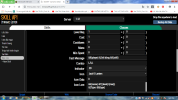
Cho mình xem hình phần bạn chỉnh trong skill
 
Uh đúng rồi chụp mang qua đây
*****Nội dung được bổ sung thêm*****
tks a nhìu
*****Nội dung được bổ sung thêm*****


à cho e hỏi chỉnh cái action-bar-text là chỉnh sao vậy a và làm sao enable cái Action bar
e chỉnh thế này đúng k a:
# Whether or not players can customize their combos
allow-custom: 'false'
# Whether or not shift clicks are allowed at all
# This will disable "use-click-shift" if enabled
use-click-right-shift: 'false'

# Whether or not shift clicks are allowed at all
# This will disable "use-click-shift" if enabled
use-click-left-shift: 'flase# Whether or not shift clicks are allowed at all
# This will disable "use-click-shift" if enabled
use-click-right-shift: 'true'

# Whether or not shift clicks are allowed at all
# This will disable "use-click-shift" if enabled
use-click-left-shift: 'true'

'
*****Nội dung được bổ sung thêm*****
tks a e làm dc rồi :hp:
'
*****Nội dung được bổ sung thêm*****
cho e hỏi làm sao để chỉnh lại cái combo của skill vậy a e lên http://eniripsa96.github.io/SkillAPI/ chỉnh thành L,R,L rồi down về mà nó cũng như cũ
Cái này sai r`
*****Nội dung được bổ sung thêm*****
Click Combos:

# Whether or not to use click combinations
enabled: 'true'

# Whether or not players can customize their combos
allow-custom: 'false'

# Whether or not left clicks are allowed at all
use-click-left: 'true'

# Whether or not right clicks are allowed at all
use-click-right: 'true'

# Whether or not shift clicks are allowed at all
use-click-shift: 'true'

# How many clicks are needed to perform a combo
combo-size: '4'

# Inactivity time in seconds before clicks for a combo are reset
click-time: '2.0'

# Whether or not to automatically assign combos to skills
# without a combo manually defined. When disabled, only skills
# configured to have a combo or have had a combo set by
# a command will have combos.
auto-assign: 'true'

# Whether or not right shift clicks are allowed at all
# This will disable "use-click-shift" if enabled
use-click-right-shift: 'false'

# Whether or not left shift clicks are allowed at all
# This will disable "use-click-shift" if enabled
use-click-left-shift: 'false'

# Whether or not jump clicks are allowed at all
use-click-space: 'false'

# Whether or not Q clicks are allowed at all.
# Enabling this disables dropping items via Q outside of menus.
use-click-q: 'false'
 

Đính kèm

  • Untitledsdf.png
    Untitledsdf.png
    223.9 KB · Lượt xem: 72
k có , L R L
*****Nội dung được bổ sung thêm*****
Bạn xoá phần Click Combo của bạn rồi thêm phần của mình vào
 
Trạng thái
Không mở trả lời sau này.
Nội dung tương tự Xem nhiều nhất Xem thêm

Thống kê nội dung

Tạo
sidaconbabanbanhda,
Trả lời lần cuối từ
Past,
Trả lời
15
Lượt xem
1,134
Quay lại
Trên cùng